Connect Cherry Studio to Moyi API
Cherry Studio is an open-source multi-model AI desktop client for macOS, Windows, and Linux. It lets you manage and switch between multiple LLM providers in one interface.
1. Connect to Moyi API
If Cherry Studio is already installed, add Moyi API as a model provider:
- Click the settings icon in the top-right corner of Cherry Studio.
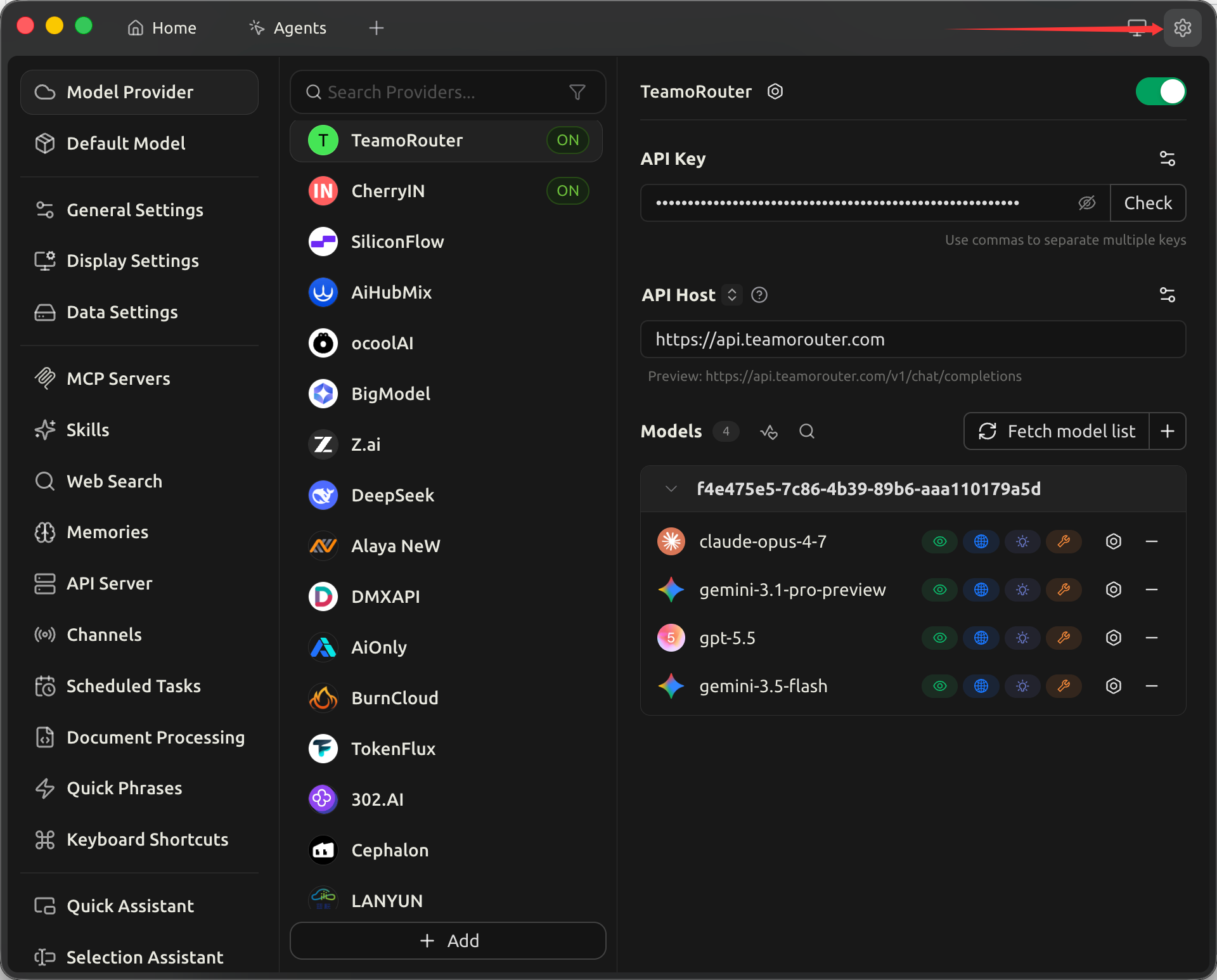
- Choose Model Services in the left navigation.
- At the bottom of the provider list, click Add to create a custom provider.
- In the dialog, fill in:
- Provider name:
Moyi API - Provider type: choose the provider type that matches the model family you want to use:
| Model family | Provider type |
|---|---|
| GPT | OpenAI |
| Claude | Anthropic |
| Gemini | Gemini |
| DeepSeek | OpenAI |
| GLM | OpenAI |
| Grok | OpenAI |
- After creation, fill in the provider detail panel:
- API Key: paste the key you created in the Moyi API dashboard. Separate multiple keys with commas.
- API URL:
https://api.moyiapi.com
Cherry Studio appends /v1/chat/completions automatically. The preview line should show https://api.moyiapi.com/v1/chat/completions.
- In Models, click Fetch model list so Cherry Studio can load all models exposed by Moyi API.
- Click the check button beside API Key to verify the key. If the connection succeeds, the provider is ready.
- Turn on the Enable toggle in the top-right corner of the provider panel.
2. Install Cherry Studio from scratch
Download and install
Download the installer from the Cherry Studio website:
- macOS: download the
.dmg, or runbrew install --cask cherry-studio - Windows: download and run the
.exeinstaller - Linux: download the
.AppImageor.debpackage
Configure Moyi API
After the first launch, follow steps 1 to 8 in the previous section.
Set a default model
In Settings, open Default Models and switch the default chat model to a Moyi API model such as claude-opus-4-7.
Start using Cherry Studio
Go back to Home or Agents, create a new conversation, confirm that the model picker shows your Moyi API model, and send a message.